Illustration of a PageSpeed Insights dashboard showing a performance gauge, loading metrics, and Google branding for a website speed optimization article.

Boost Your Website Performance Using PageSpeed Insights: A Complete Beginner-Friendly Guide (2025)

Boost Your Website Performance Using PageSpeed Insights: A Complete Beginner-Friendly Guide (2025)


Every website owner wants a fast, stable, and smooth-performing site. But knowing why your website is slow — or how to fix it — can feel overwhelming. That’s where PageSpeed Insights comes in.

PageSpeed Insights (often written as pagespeed insight) is one of the most popular tools for analyzing website performance. Powered by Lighthouse and real-world Chrome User Experience (CrUX) data, it gives users a clear breakdown of what’s slowing their site down and what they can do to improve it.

If you’re looking to enhance your site’s user experience, increase conversions, or improve SEO rankings, understanding PageSpeed Insights is essential.

This guide breaks down what the tool does, how to use it, and how to take the insights and turn them into real performance improvements.


What Is PageSpeed Insights?

PageSpeed Insights (PSI) is a free performance analysis tool created by Google. It measures how fast your website loads and evaluates your Core Web Vitals, offering suggestions to improve stability, loading speed, and responsiveness.

When you enter a URL, PSI provides detailed reports on:

      • Page load times

      • Largest Contentful Paint (LCP)

      • Cumulative Layout Shift (CLS)

      • Interaction to Next Paint (INP)

      • Mobile vs. desktop performance

      • Render-blocking issues

      • Image optimization opportunities

      • Server response time

    In short, PageSpeed Insights shows what’s wrong, why it matters, and how to fix it.

    👉 Try it yourself: https://pagespeed.web.dev/


    How PageSpeed Insights Works

    When you test your website using PageSpeed Insights, it analyzes your page in two ways:

    1. Lab Data (Simulated Test)

    PSI uses Lighthouse to simulate how your page loads in a controlled environment.
    This includes:

        • Fast 3G/4G network throttling

        • CPU throttling

        • Mobile-first rendering

      Lab data is great for diagnosing issues and running repeatable tests.


      2. Field Data (Real User Experience)

      This shows how actual users experience your website in the real world.
      It draws data from millions of Chrome users through the Chrome UX Report (CrUX).

      Field data reports on:

          • Actual loading times

          • User device performance

          • Real-world internet speeds

          • How consistent your Core Web Vitals are

        This is the data Google uses to evaluate your site’s ranking potential.


        Why PageSpeed Insights Matters for Your Business

        ✔ Better SEO Rankings

        Google uses Core Web Vitals as a ranking factor. Improving your PSI score helps your SEO.

        ✔ Higher Conversion Rates

        Studies show that every 1-second delay can reduce conversions by 27%.

        ✔ Reduced Bounce Rates

        Users leave slow websites quickly. PSI helps prevent that.

        ✔ Stronger User Experience

        Fast sites feel more professional and trustworthy.

        ✔ Clear Roadmap for Optimization

        You don’t have to guess — PSI tells you what to fix.


        Key Metrics You Should Understand in PageSpeed Insights

        To get the most out of pagespeed insights, you’ll need to understand a few key metrics:

        LCP — Largest Contentful Paint

        Measures how quickly the main content on your page loads.
        Good: Under 2.5 seconds.

        CLS — Cumulative Layout Shift

        Tracks how stable your content is while loading.
        Good: Less than 0.1.

        INP — Interaction to Next Paint

        Replaces FID (First Input Delay).
        Measures responsiveness when users interact with your page.
        Good: Under 200 milliseconds.

        TTFB — Time to First Byte

        Shows how fast your server responds.

        Speed Index

        Evaluates how quickly the page visually completes loading.

        Understanding these metrics helps you see where your website is struggling and what changes can create the biggest impact.


        How to Use PageSpeed Insights (Step-by-Step)

        1. Enter Your URL

        Visit https://pagespeed.web.dev/.
        Type your website address and hit “Analyze.”

        2. Review Mobile Performance First

        Google ranks mobile-first, so prioritize your mobile score.

        3. Check the Diagnostics Section

        This section reveals:

            • Render-blocking JavaScript

            • Oversized images

            • Inefficient caching policies

            • Layout shifts

            • Excessive DOM size

            • Unminified CSS

          4. Look at Opportunities

          This is your roadmap for improvement.
          You’ll see suggestions like:

              • Serve images in next-gen formats (WebP)

              • Reduce unused JavaScript

              • Preload key assets

              • Improve server response time

            5. Fix Issues and Retest

            Performance optimization is iterative. Continue improving until your field data improves.


            Limitations of PageSpeed Insights

            PageSpeed Insights is great — but not perfect.
            Here’s what it doesn’t do:

            ❌ No real-time monitoring
            ❌ No historical comparisons
            ❌ No automatic alerts
            ❌ No scheduled audits
            ❌ Not ideal for agencies managing multiple sites

            This is where automation tools like SiteRekon become essential.


            PageSpeed Insights vs. Automated Monitoring Tools

            FeaturePageSpeed InsightsSiteRekon
            One-time tests
            Real-time alerts
            Automated audits
            Trend trackingLimited
            Multi-site management
            Easy reporting

            Why Automated Monitoring Helps

            PageSpeed Insights is excellent for benchmarking…
            But SiteRekon handles continuous tracking, Core Web Vitals monitoring, and performance alerting without manual testing.

            👉 Learn more about SiteRekon: https://siterekon.com/
            👉 Start your free performance audit: https://siterekon.com/#cta


            How to Improve PageSpeed Insights Scores Quickly

            Here are fast, high-impact optimizations:

                1. Compress and convert images to WebP

                1. Minify CSS and JavaScript

                1. Reduce third-party scripts

                1. Enable caching and CDN

                1. Optimize server response time

                1. Preload important assets

                1. Fix layout shifts (CLS issues)

                1. Keep fonts lightweight

              These changes can significantly improve your Core Web Vitals and PSI score.


              Conclusion

              PageSpeed Insights is one of the best tools available for analyzing website performance, understanding Core Web Vitals, and spotting issues that impact your SEO and user experience.

              But it’s only the first step.
              To keep your website consistently fast, stable, and ranking-ready, you need automated monitoring, scheduled audits, and real-time alerts — and that’s where tools like SiteRekon make all the difference.

              Run your first free audit today and start improving your website’s performance instantly.

              👉 https://siterekon.com/#cta

              Explore our FAQs

              1. What does PageSpeed Insights do?


              It analyzes your website’s speed, Core Web Vitals, and performance and recommends improvements.


              Yes — it uses Google’s Lighthouse engine and real-user (CrUX) data.


              Indirectly yes — improving PSI metrics strengthens SEO performance.


              Weekly at minimum. Automated tools check continuously.

              A score of 90+ is considered excellent.
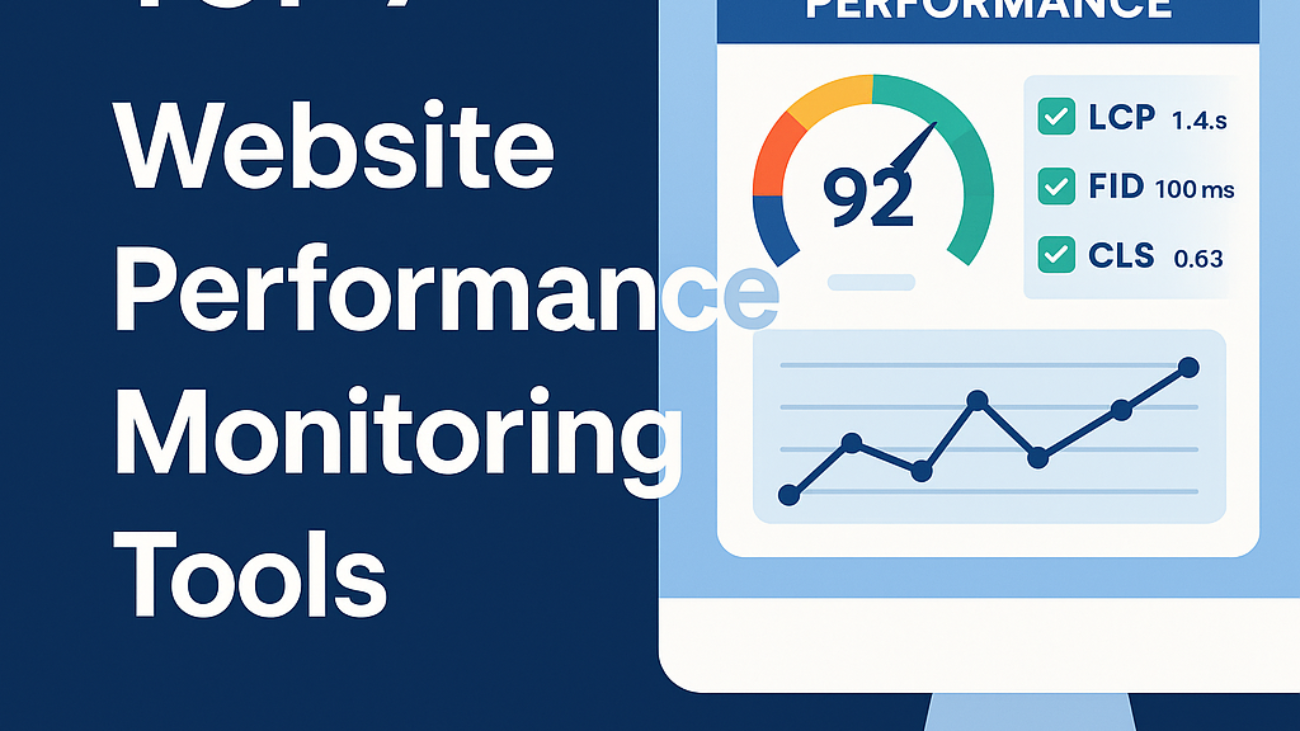
              Illustration showing a website performance dashboard with a 92 performance score, Core Web Vitals metrics (LCP, FID, CLS), and the title “Top 7 Website Performance Monitoring Tools.”

              Top 7 Website Performance Monitoring Tools Every Business Should Know (2025 Update)

              Top 7 Website Performance Monitoring Tools Every Business Should Know (2025 Update)


              In today’s digital world, speed is everything. Whether you run an e-commerce shop, service business, or content site, users expect fast loading times and flawless performance. If your website slows down or experiences uptime issues, conversion rates drop and SEO rankings suffer.

              This is where website performance monitoring tools come into play. These tools help you track load times, Core Web Vitals, uptime, and device performance. They also provide alerts when something goes wrong—allowing you to fix issues before users notice.

              This guide covers the best monitoring tools available today, and why automated systems like SiteRekon make performance management easier than ever.


              What Are Website Performance Monitoring Tools?

              Website performance monitoring tools track your site’s:

                  • Load speed

                  • Core Web Vitals

                  • Server response times

                  • Uptime and downtime

                  • Mobile and desktop performance

                A great monitoring tool provides alerts, reports, and ongoing monitoring, ensuring your site stays fast and reliable.


                Why Website Performance Monitoring Matters

                Even the best websites slow down over time. Updates, plugins, hosting issues, traffic spikes, or design changes can create performance bottlenecks.

                Monitoring tools help you:
                ✔ Catch slowdowns early
                ✔ Improve user experience
                ✔ Maintain Core Web Vitals
                ✔ Protect search rankings
                ✔ Reduce bounce rates
                ✔ Validate performance improvements

                Speed isn’t optional—it’s a major ranking factor according to Google Web Vitals.


                Top 7 Website Performance Monitoring Tools (2025)

                Below are the best tools for tracking, monitoring, and improving your website performance—without overlapping your previous article.

                1. SiteRekon

                Best for: Automated monitoring & hands-off audits
                🔗 https://siterekon.com/

                SiteRekon removes the pain of manual testing. It continuously monitors your website’s speed, Core Web Vitals, and performance metrics—sending alerts when something changes.

                Key Features:

                    • Automated performance audits

                    • Core Web Vitals tracking

                    • Real-time alerts

                    • Smart visual reporting

                    • Historical comparisons

                    • Multi-site monitoring

                  Why Use It:
                  It’s designed for business owners and agencies who want continuous performance monitoring without the complexity.

                  👉 Start a free audit here: https://siterekon.com/#cta


                  2. Google PageSpeed Insights

                  🔗 https://pagespeed.web.dev/

                  Best for: Understanding Google performance expectations
                  This free tool provides instant performance scores and real-user data via Chrome UX Report.


                  3. GTmetrix

                  🔗 https://gtmetrix.com/

                  Best for: In-depth speed testing
                  GTmetrix gives detailed waterfall charts and site performance breakdowns.


                  4. Pingdom

                  🔗 https://www.pingdom.com/

                  Best for: Uptime monitoring
                  Pingdom alerts you when your site goes down and provides basic performance monitoring.


                  5. WebPageTest

                  🔗 https://www.webpagetest.org/

                  Best for: Technical performance analysis
                  Provides device-level tests, geographic insights, and advanced performance visualizations.


                  6. New Relic

                  🔗 https://newrelic.com/

                  Best for: Application & server monitoring
                  Ideal for large businesses that need backend-level insights in addition to website performance.


                  7. Lighthouse (Chrome DevTools)

                  🔗 https://developer.chrome.com/docs/lighthouse/

                  Best for: On-demand audits
                  Lighthouse is built into Chrome and helps diagnose issues in real-time.


                  Which Tool Should You Choose?

                  If you want quick, manual testing, tools like PSI, GTmetrix, and WebPageTest are excellent.

                  If you want ongoing monitoring, historical data, alerts, and automated auditing, then SiteRekon is the clear winner.

                  It gives businesses a simple dashboard, performance insights, and Core Web Vitals tracking—without needing a developer.


                  Final Thoughts

                  Website performance monitoring tools are essential for maintaining a fast and stable website. From uptime alerts to Core Web Vitals monitoring, these tools help you stay ahead of performance issues before they impact your users or SEO.

                  With automation platforms like SiteRekon, you can track website health effortlessly and focus on growth rather than troubleshooting.

                  Explore our FAQs

                  1. What is the best website performance monitoring tool for beginners?

                  SiteRekon is perfect for beginners because it automates audits and provides visual, easy-to-read reports.

                  Ideally, 24/7. Continuous monitoring helps you catch issues early. Automated tools make this easy.

                  Yes—Core Web Vitals and loading speed affect rankings. Monitoring helps you maintain strong performance.

                  Absolutely. Faster websites convert better and provide a better experience.

                  Google highlights LCP, FID/INP, and CLS. Learn more here: https://web.dev/vitals/

                  Automate website core performance and monitoring dashboard visualization

                  Automate Website Core Performance and Monitoring Website Performances

                  Automate Website Core Performance and Monitoring Website Performances


                  In today’s hyper-competitive digital space, speed is everything. A few extra seconds of page load time can mean the difference between a loyal customer and a lost lead. That’s where the power of automating website core performance and monitoring website performances comes into play.

                  For small businesses and SaaS owners, optimizing site performance can be daunting, but automation tools now make it simpler and more affordable than ever. This article walks you through everything you need to know — from core web vitals to automated monitoring systems that keep your site fast, secure, and reliable 24/7.

                  Understanding Website Core Performance

                  Website core performance refers to the overall efficiency, speed, and stability of your website. Google uses a set of metrics known as Core Web Vitals — including Largest Contentful Paint (LCP), First Input Delay (FID), and Cumulative Layout Shift (CLS) — to evaluate user experience.

                  • LCP (Loading Performance): How quickly your main content loads.
                  • FID (Interactivity): How responsive your site is to user actions.
                  • CLS (Visual Stability): Ensures the layout doesn’t shift as elements load.

                  According to Google Developers, a site that performs well on these metrics is more likely to rank higher in search results, retain users, and convert better.

                  Why Automate Website Performance Management

                  Manual optimization is time-consuming and inconsistent. Automation ensures continuous monitoring, proactive issue resolution, and consistent performance improvements.

                  Key Benefits of Automation:

                  1. Consistency: Automated tools check your site at regular intervals without human intervention.
                  2. Speed: Real-time data helps you identify bottlenecks instantly.
                  3. Scalability: You can monitor hundreds of pages simultaneously.
                  4. Cost Efficiency: Reduces the need for dedicated manual testing teams.
                  5. SEO Gains: Faster, more stable websites perform better in search rankings.

                  Tools like Google Lighthouse, GTmetrix, and Pingdom offer automated audits that pinpoint performance issues — from large image files to render-blocking scripts — and suggest fixes instantly.

                  How to Automate Website Core Performance

                  Automation begins with the right setup. Here’s how to streamline your website’s core performance like a pro:

                  1. Use Continuous Performance Monitoring Tools

                  Platforms such as UptimeRobot, New Relic, and Datadog automatically test your site’s uptime, server response, and load speeds. They alert you when metrics fall below acceptable thresholds.

                  2. Implement Caching Automation

                  Tools like Cloudflare or WP Rocket automate caching processes, serving static versions of pages to users. This drastically reduces server load and improves page load times.

                  3. Optimize Images Automatically

                  Use automation plugins like ShortPixel, Imagify, or TinyPNG to compress images in real time without compromising quality.

                  4. Automate Script & CSS Optimization

                  Minify and combine files automatically using Autoptimize or Asset CleanUp to streamline code delivery.

                  5. Integrate Performance Reports

                  Schedule automated reports via tools like Google Analytics, Search Console, or Data Studio to track performance over time.

                  Best Practices for Monitoring Website Performances

                  Monitoring website performances goes beyond checking uptime. You need full visibility into real user experiences and backend processes.

                  1. Real User Monitoring (RUM)

                  Use RUM tools to analyze how actual visitors interact with your site — including device type, location, and connection speed.

                  2. Synthetic Monitoring

                  Simulate user interactions to detect potential problems before users experience them.

                  3. Error Tracking

                  Use platforms like Sentry or Raygun to automatically log errors and provide diagnostic details for quick fixes.

                  4. Regular Audits

                  Even with automation, run quarterly manual audits to catch evolving issues caused by updates, plugins, or design changes.

                  Integrating Automation with Your SaaS Solution

                  If your SaaS focuses on improving page speed and automation, integrating automated monitoring features can create massive value for clients. For instance:

                  • Offer built-in performance dashboards.
                  • Provide AI-driven suggestions for optimization.
                  • Use auto-repair mechanisms that correct common issues like image compression or cache expiration.

                  This not only boosts your service appeal but also reinforces your brand authority as a trusted optimization partner for small businesses.

                  External Reference

                  For further insights on Core Web Vitals and automation best practices, visit Google Web.dev Performance Guide.

                  Frequently Asked Questions (FAQs)

                  1. What does automating website core performance mean?
                  It means using tools and scripts to automatically monitor, optimize, and maintain your site’s speed and efficiency without constant manual checks.

                  2. Which tools can I use to automate performance monitoring?
                  Popular tools include Google Lighthouse, GTmetrix, UptimeRobot, and New Relic.

                  3. How often should website performance be monitored?
                  Ideally, every 24 hours. Automation makes this effortless by providing real-time alerts.

                  4. Can automation improve SEO rankings?
                  Yes. Faster, more stable websites rank higher because Google prioritizes user experience and site performance.

                  5. Is automation expensive for small businesses?
                  Not necessarily. Many tools offer free or low-cost plans that suit startups and small businesses.

                  6. What’s the best starting point for automation?
                  Begin with automated caching and regular Lighthouse audits, then expand to full-stack performance tracking.

                  Conclusion

                  Automating website core performance and monitoring website performances is no longer a luxury — it’s a necessity for business growth. By embracing automation, you save time, reduce costs, and deliver faster, more reliable user experiences.

                  For small business owners and SaaS founders, the key is starting small, measuring consistently, and scaling automation as you grow. With the right strategy, your website won’t just run — it will excel.